
Build workflows that know what happens next.
Design, automate and manage business processes visually. WFD Routing Engine orchestrates documents, data, people, systems and other WFD Engines through configurable workflows.
One process. Many possible paths.
Real business processes rarely follow a single straight line. A document may need inspection, enrichment, approval or review. Data may determine which system should receive it.
Routing Engine coordinates those possibilities in one configurable workflow.
Different items can take different routes.
The process defines what happens next — not hard-coded logic spread across multiple applications.
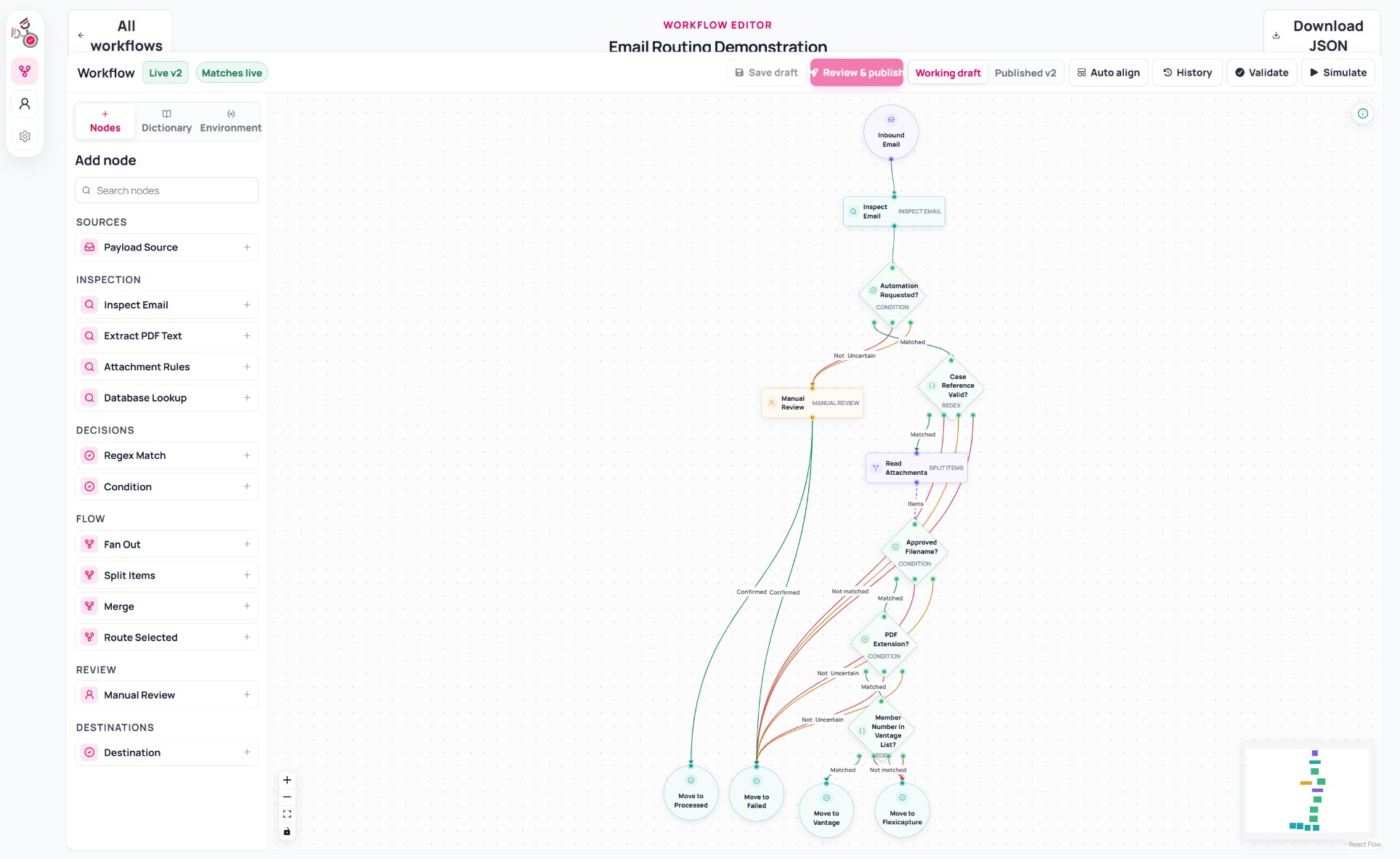
See the process. Change the process.
Build workflows visually instead of hiding process logic inside applications and integrations.
Connect configurable nodes to describe the sequence, decisions and outcomes that make up the process. As requirements change, the workflow can change with them.
Simple to see. Powerful underneath.
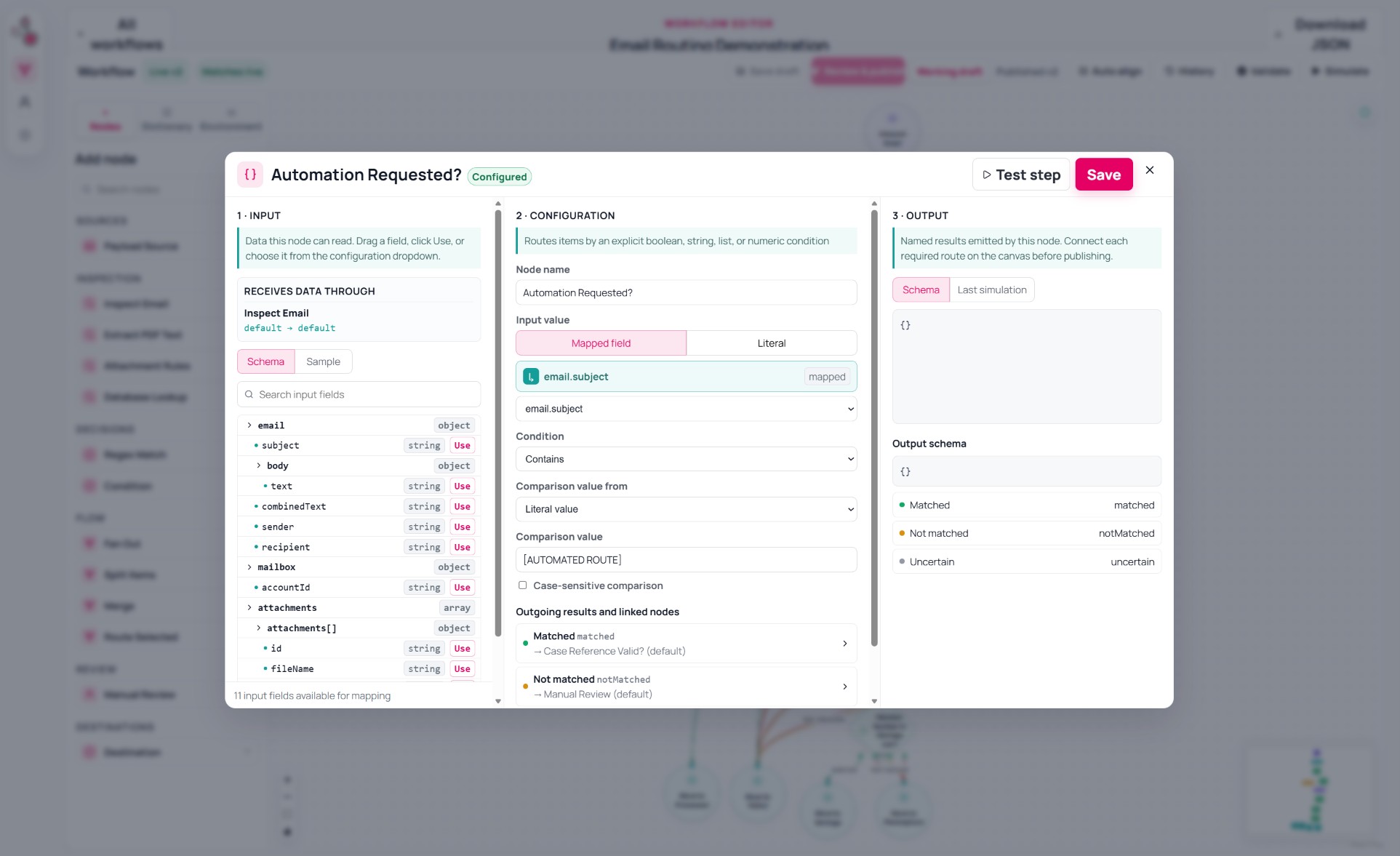
Every node represents a capability in the process. Select a node to configure the information it receives, how it behaves and what should happen for each possible result.
Configure the decision without losing sight of the process.
Automate where you can.
Involve people where you should.
Not every decision should be forced through automation. Routing Engine can pause a process when approval, judgement or additional information is required — then continue automatically once a decision is made.
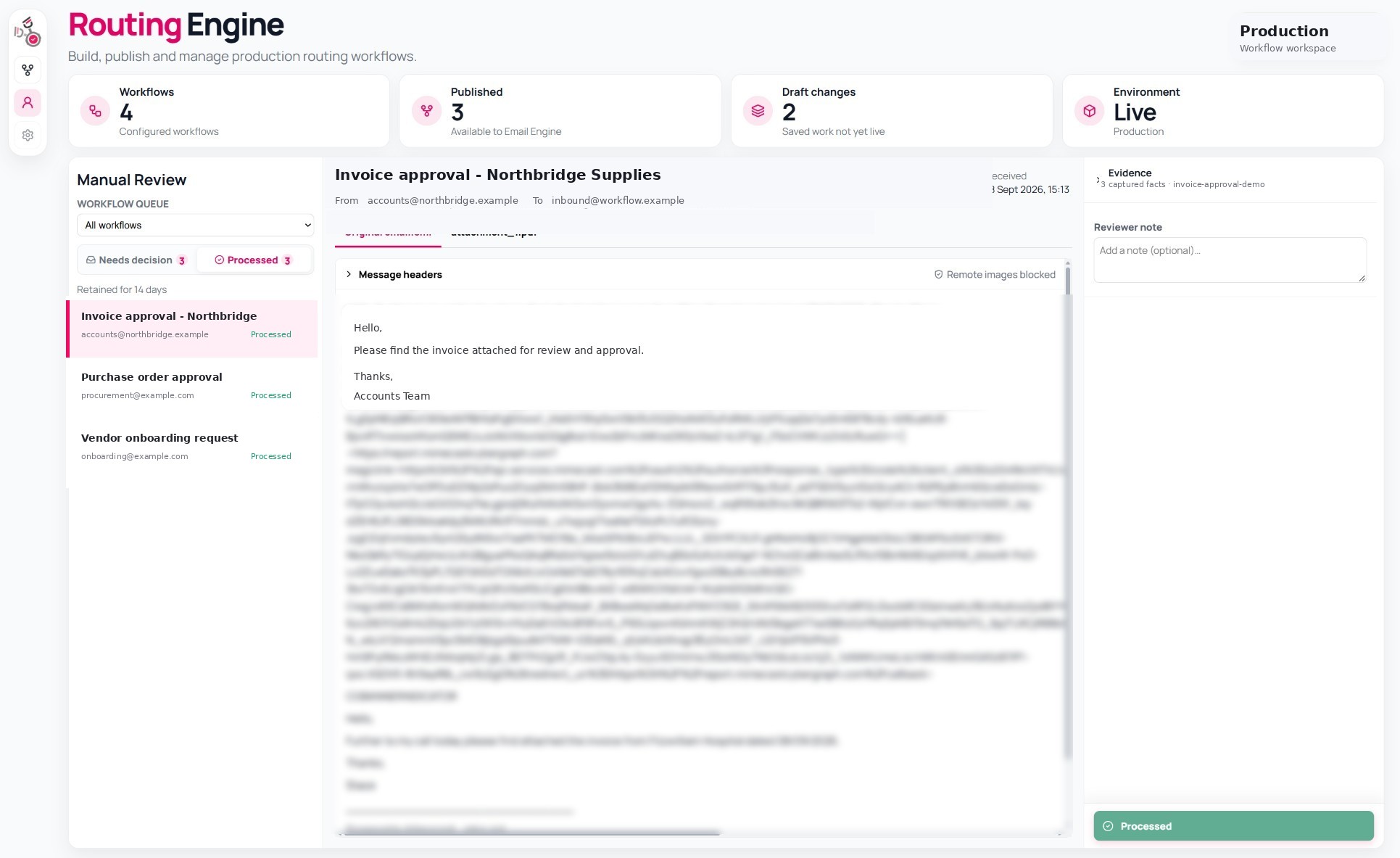
Human review isn't outside the workflow. It is part of the workflow.
One workflow can coordinate an entire process.
Routing Engine can operate on its own or orchestrate processes involving other WFD Engines and external systems.
It determines what should happen next at every stage.
Engine
Engine
Engine
Engine
Start a workflow from almost anywhere.
A workflow can begin because a document arrived, an email was received, an application submitted data, an event occurred or a scheduled process reached its time to run.
For document-driven processes, Email Engine and Content Engine are natural sources. But Routing Engine is not limited to document workflow.
Different processes. Same engine.
The same workflow foundation can orchestrate very different business processes. Configure the stages, decisions and people that make each process unique.
Document processing
Receive a document, extract and validate its data, match it to the right business context and route the result onwards.
Start with ready-made nodes. Add your own.
Routing Engine includes configurable nodes for common workflow operations. Use the capabilities you need, combine them in different ways and extend the engine when a process requires something specific.
New node types can be added through its extensible architecture without redesigning the workflow platform.
Rules. AI. People. One process.
Some decisions are deterministic. Some benefit from AI. Some require human judgement. Routing Engine can coordinate all three within the same process.
Invoice value > £10,000?
Classify the document
Judgement required
Use AI where interpretation adds value without giving up rules, traceability or human judgement.
Design. Validate. Simulate. Publish. Understand.
Workflow changes can be checked before they become live. Once running, execution history shows what happened and which path was followed.
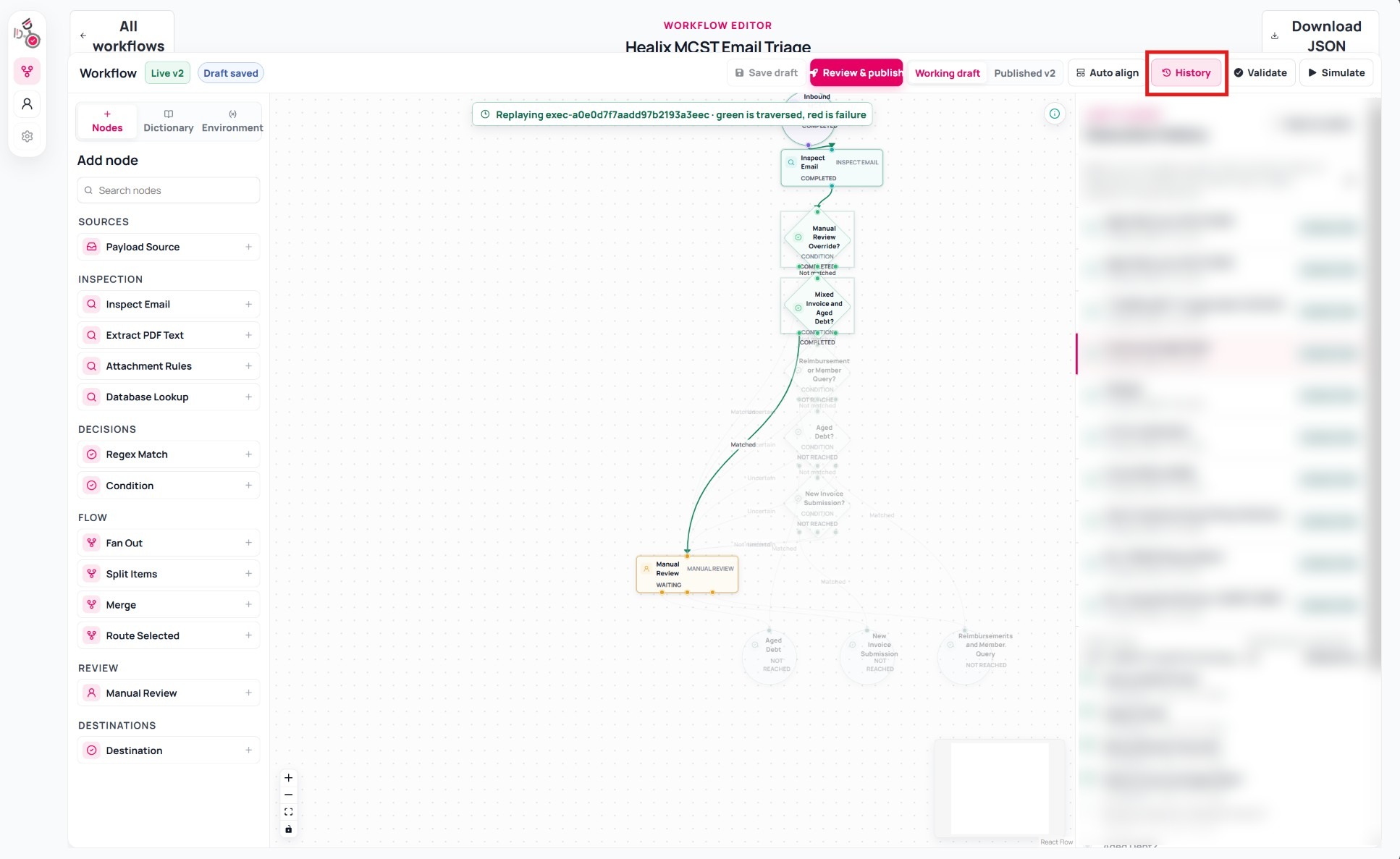
Connect capabilities into a process.
Each WFD Engine specialises in a particular part of a business process. Routing Engine brings those capabilities together.
It initiates each stage, responds to the result and determines what should happen next.
What happens next shouldn't be hard-coded.
Build workflows that can change as your processes change. Orchestrate documents, data, people, systems and decisions from one configurable place.